For five years, I had been loyal to Things for task management. It was clean, simple, and just worked.
Late last year, I switched my personal task management to Notion (which I had already been using for a long time for note-taking) and I feel it’s working a lot better for me.
Why Notion
Admittedly, part of it was joining Notion early last year and wanting to dogfood the product. But the bigger reason was that Things was too simple for how I wanted to work with AI tools.
These days, I'm constantly juggling parallel tasks. I'll kick off an AI coding or research agent, let it run for a few minutes, and work on something else while I wait.
Things didn’t handle that kind of workflow well. I needed something that could help me see everything in flight at once.
My Setup
The foundation is dead simple: two databases connected by a relation.
- Tasks - individual to-dos
- Projects - anything that takes more than one task
My main view is a Kanban board filtered to Today. I see tasks in three columns: No Status, In Progress, and Done. When I sit down to work, I know exactly what's on my plate.
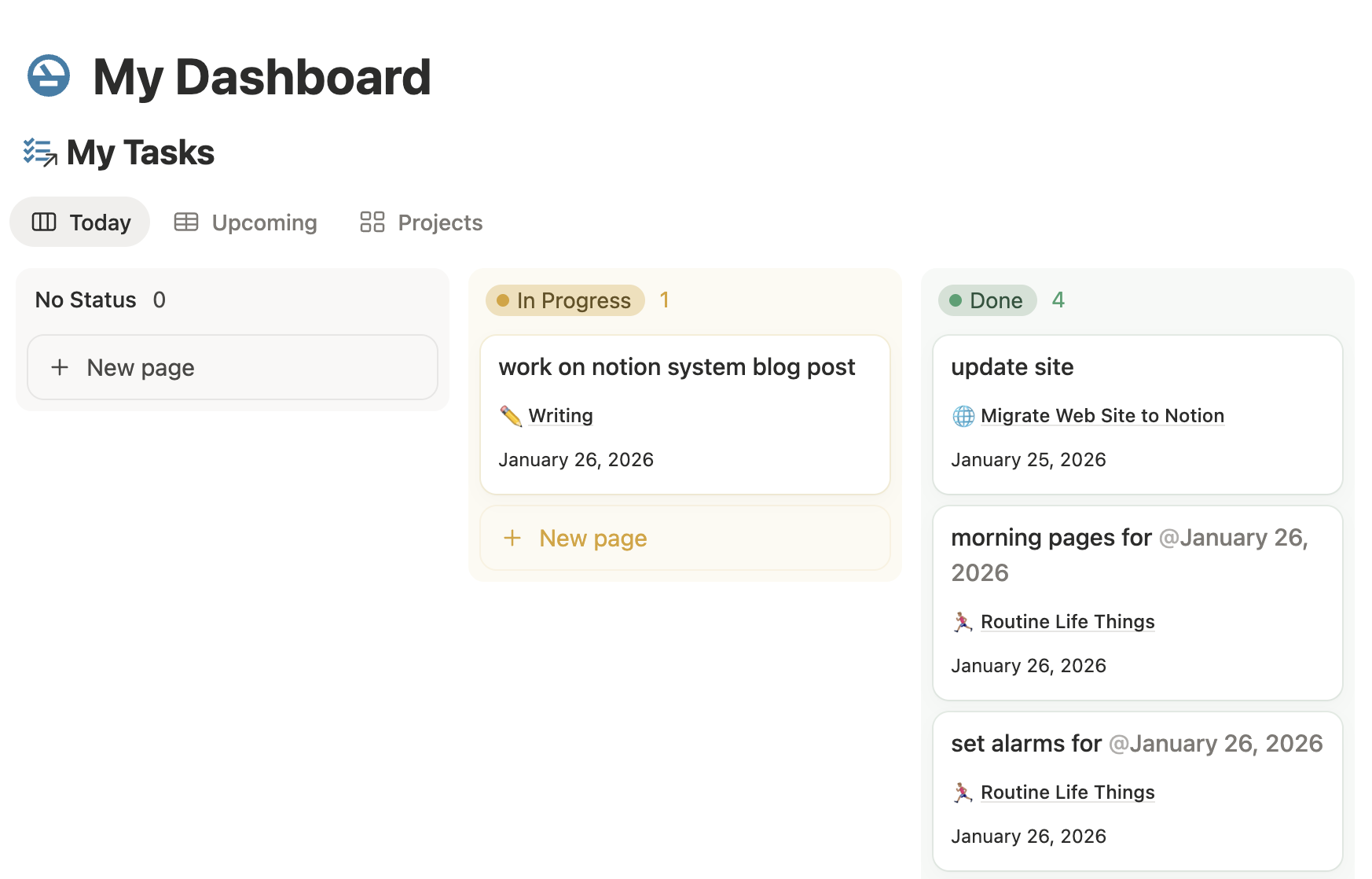
The Kanban layout is key because it lets me track multiple things in progress. Instead of scrolling X while waiting for an agent to respond, I now glance at my board and pick up something else.
What I Like
Notes inside tasks. Every task can be a full document. This is huge. I can dump context, links, and scratch notes right where they belong instead of pulling up a separate app.
Auto-assign tasks to projects. I have early access to Custom Agents, so I created one that auto-assigns projects to new tasks based on what already exists.
Other views. Beyond my daily Kanban, I have views to see what I've completed over time or to browse through all tasks when I’m looking for something in particular.
Drawbacks
Recurring tasks take more setup than in Things. Creating automations in Notion isn't hard, but it's definitely more overhead. That said, once I set up my usual reminders, I rarely have to touch them again. It’s an OK tradeoff for me.
One Month In
I'm more focused and more productive. Having clear visibility into what's in progress— and what's waiting— keeps me from context-switching into the void.
If you're managing a lot of parallel work, especially with AI tools running in the background, this setup is worth trying.